
All Telemetry Insights payments are processed securely through Stripe. Your card details are never stored on our servers.
DocumentationBilling
Payments, Billing & Returns Guide
Payments, Billing & Returns Guide
beginner4 minutes
Accepted Payment Methods
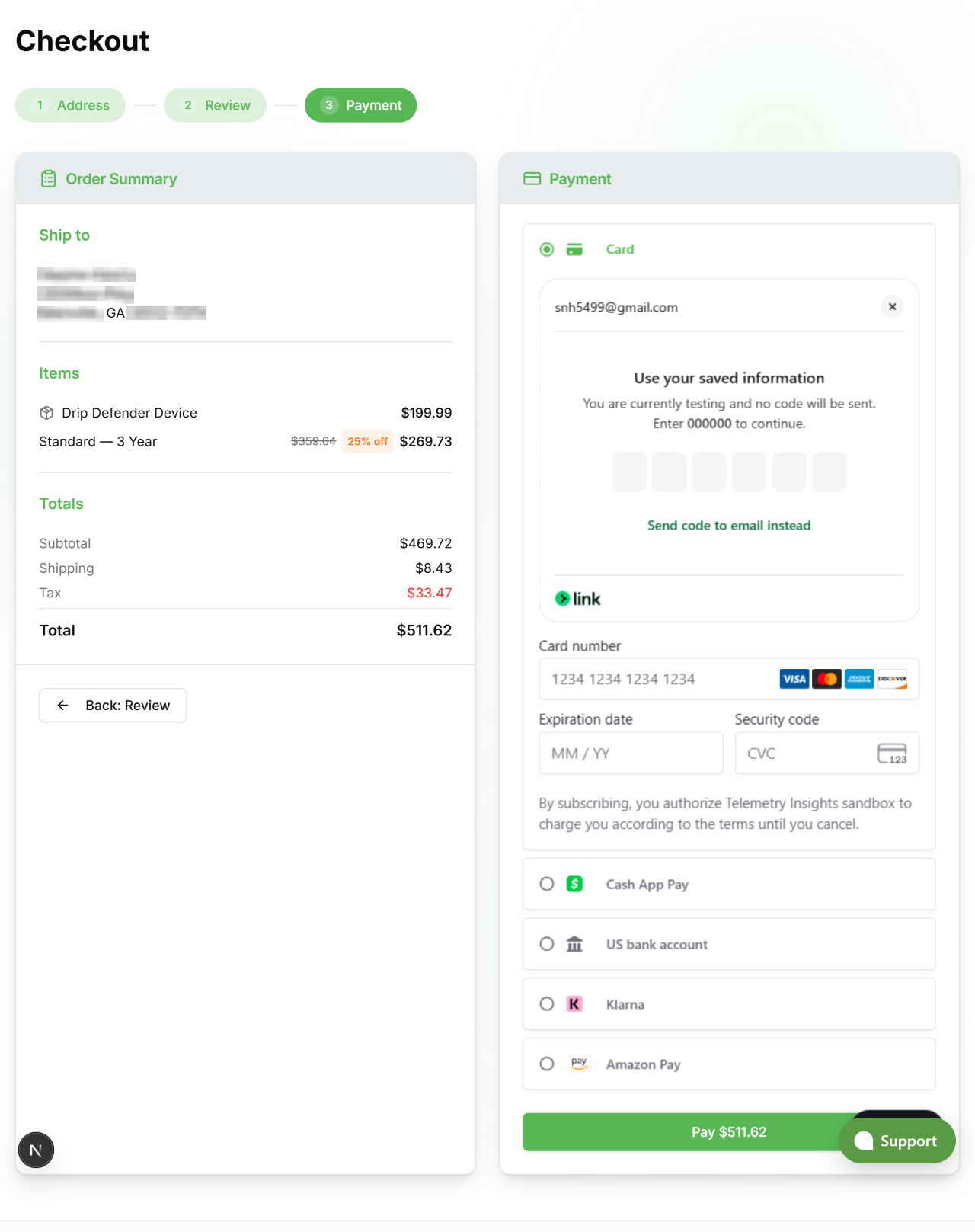
We accept the following at checkout:
- Credit & Debit Cards, Visa, Mastercard, American Express, Discover.
- Apple Pay, available on Safari (iPhone, iPad, Mac) with a card saved in Apple Wallet.
- Google Pay, available on Chrome with a card saved in your Google account.
- Coupon Codes, enter a promo code on the Payment step of checkout. The discount is applied before payment.
View full size
Subscription Billing
Subscriptions renew automatically at the end of each billing period. Billing intervals and savings:
| Interval | Savings |
|---|---|
| Monthly | Standard rate |
| Yearly | Save 10% |
| 3-Year | Save 25% |
Upgrading or Downgrading
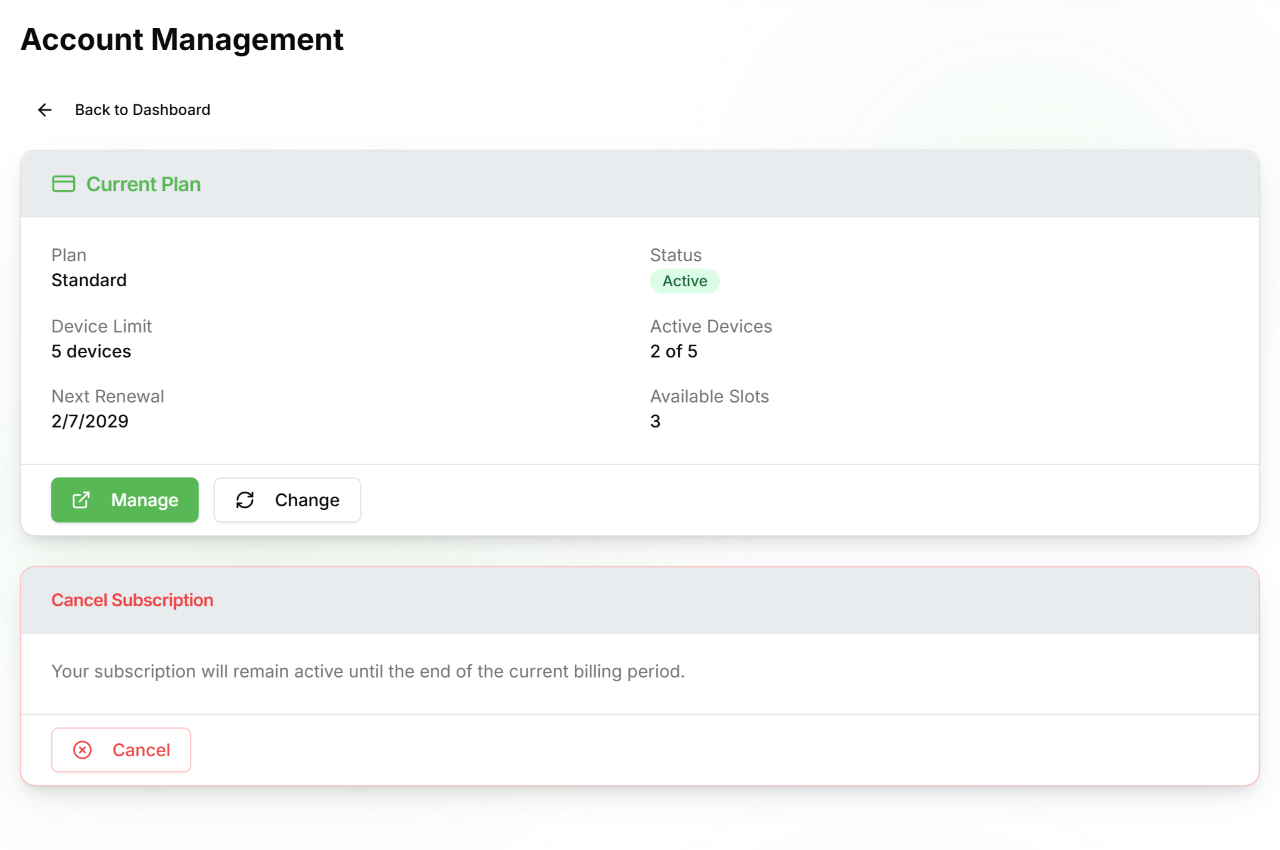
Go to Account → Subscription → Change. Upgrades take effect immediately and the cost difference is prorated for the remainder of the current period. Downgrades take effect at the next renewal.
Cancelling
Go to Account → Subscription → Cancel. Your subscription remains active until the end of the current billing period, monitoring continues until that date. You will not be charged again.
Switching Billing Interval
Use Change on the Subscription page to switch from monthly to yearly or 3-year billing. The new interval takes effect at your next renewal.
View full size
Invoices & Receipts
- Email receipts, a receipt is sent automatically to your account email for every successful charge (hardware orders and subscription renewals).
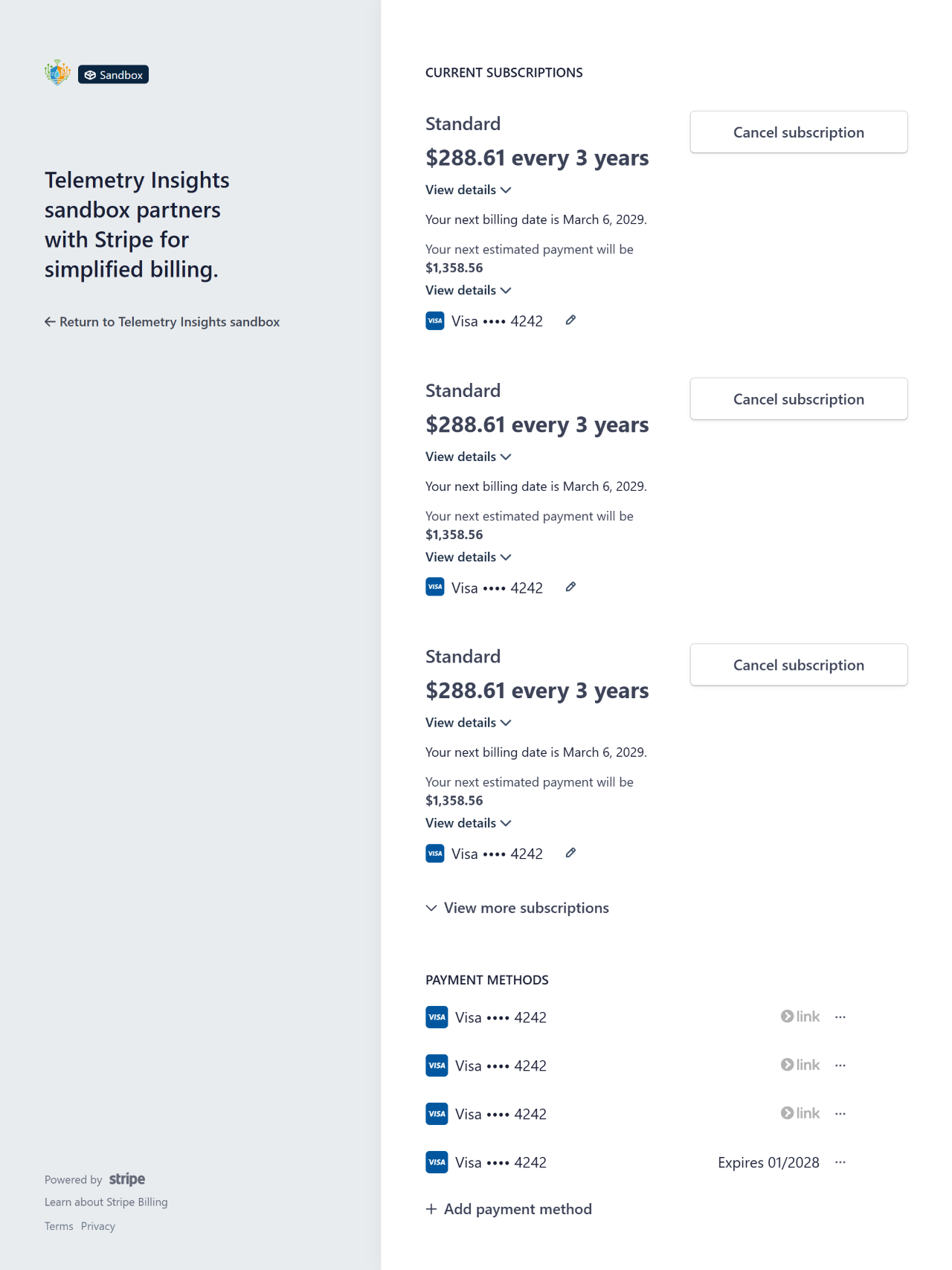
- PDF invoices, available in the Stripe billing portal at Account → Subscription → Manage. Download invoices, view billing history, and update your billing address from there.
- Shipping label PDF, available from Account → Orders. Open an order row and click Download PDF.
View full size
Failed Payments
If a subscription renewal payment fails:
- Email notification, you are notified immediately with a link to update your payment method.
- Automatic retries, Stripe retries on day 3, day 5, and day 7 after the initial failure.
- Subscription pause, if all retries fail, monitoring, alerts, and live data stop for your devices.
- Reactivation, update your payment method at Account → Subscription → Manage and the subscription resumes immediately.
Updating Payment Info
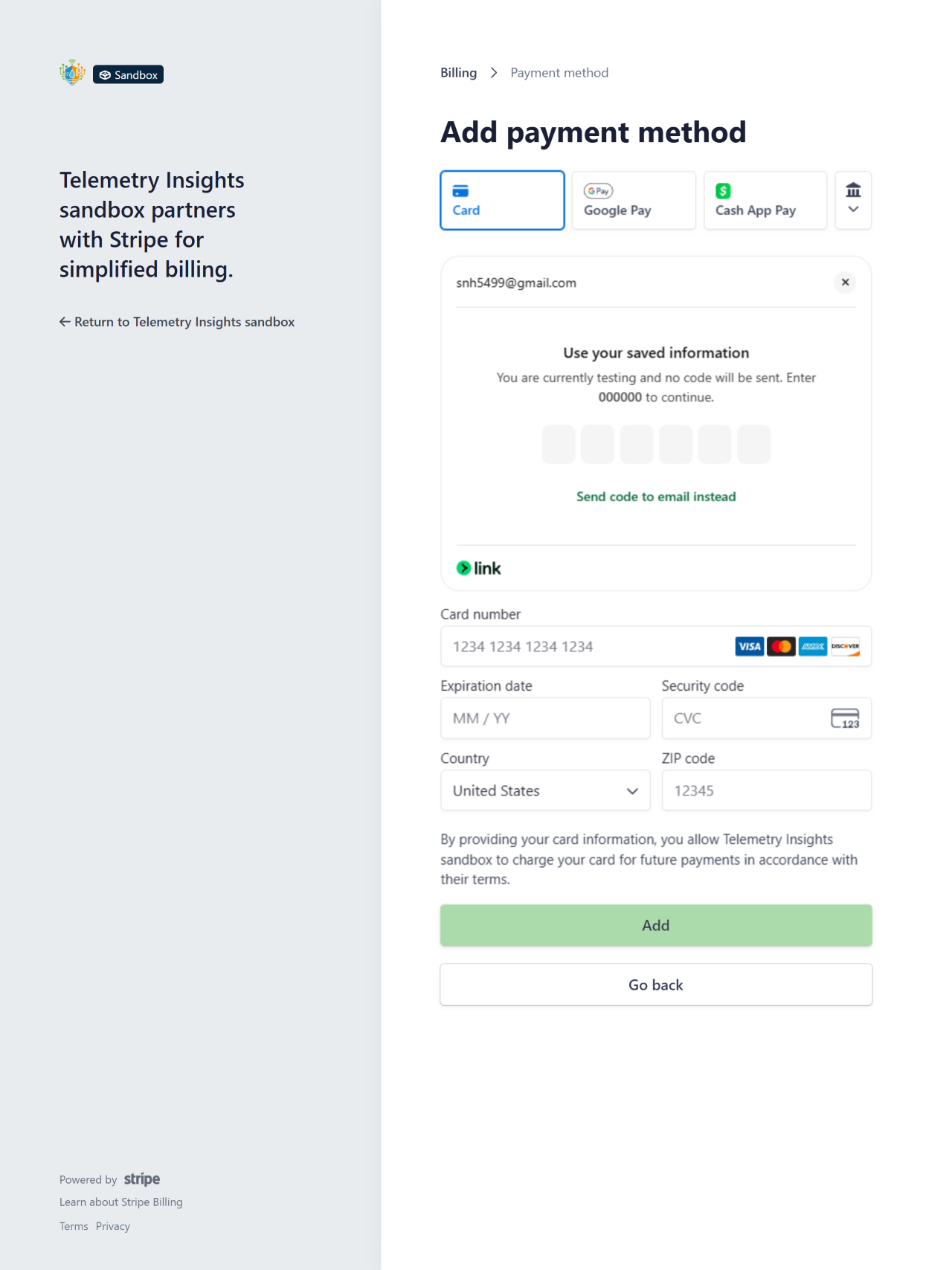
To update your credit card or add a new payment method:
- Sign in at telemetryinsights.com/login.
- Go to Account → Subscription → Manage.
- In the Stripe portal, select Payment methods to add a new card or set a default.
Changes take effect immediately and your next renewal will be charged to the updated method.
View full size
Returns & Refunds
Hardware Returns - 30-Day Window
Physical devices may be returned within 30 days of delivery for a full refund, provided the item is in its original condition and packaging.
To start a return:
- Contact support with your order number and reason for return.
- We will provide a return shipping label by email.
- Pack the device in its original packaging and drop it off with the carrier.
- Once received and inspected, the refund is issued to your original payment method within 5–10 business days.
Defective or Damaged Items
If your device arrives defective or is damaged in transit, contact support within 30 days with photos. We will arrange a replacement or full refund. Return shipping is covered by us.
Subscription Refunds
Subscription charges are non-refundable once a billing period has started. If you cancel, your subscription remains active until the end of the period you have already paid for. If you believe you were charged in error, contact support.
Refund Timeline
- Credit / debit card, 5–10 business days
- Apple Pay / Google Pay, 5–10 business days (to the linked card)
Need Help?
- In the app, from the hamburger menu select Management, then tap + in the Support card to start a new support session
- Web chat, available at telemetryinsights.com
- Email, support@telemetryinsights.com, My Buddi or a support specialist will respond